Introducing Wellthplan 2.0
Safe to Spend, the Needs / Wants / Savings framework, a guided plan built with Benjamin, and a fuller picture of what you own — our biggest release yet.
Wellthplan 2.0 is our biggest release yet. It rebuilds the app around one idea: you should always know how much is genuinely available to spend today — without giving up on tomorrow.
Here's what's new.
Safe to Spend: one number for today
Your account balance was never the answer. Some of that money already belongs to next week's rent, an upcoming bill, or a goal you care about.
Safe to Spend is the number that's left after your bills, subscriptions, and savings are accounted for — for the current month only. It sits at the center of the new Home dial: what's already spent, what's safe, and the ring of savings you're building.
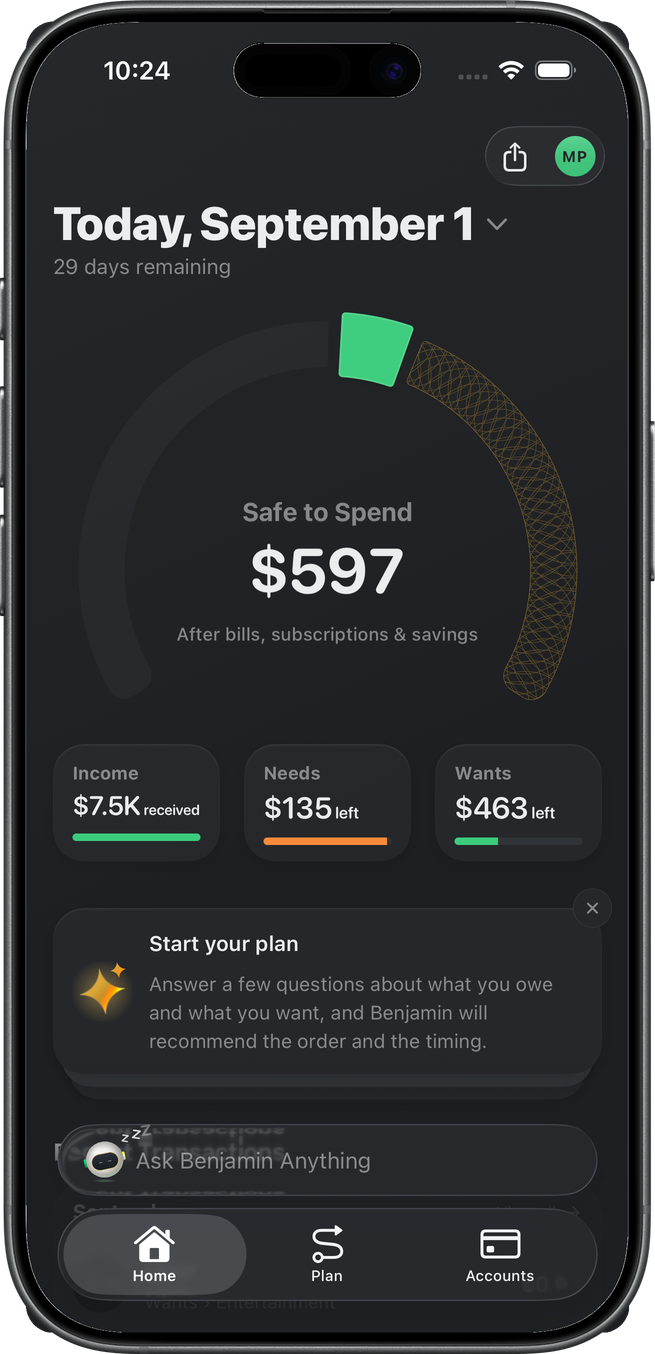
Glance at it before a purchase and you have your answer. No mental math, no spreadsheet.
Needs, Wants, and Savings: the framework underneath
Safe to Spend works because every dollar you spend is now classified as a Need (housing, groceries, utilities, insurance) or a Want (dining, entertainment, shopping, travel). What your income leaves behind after both is your Savings — the pool that funds your goals.
Income − Needs − Wants = Savings.
Each classification gets its own budget and its own detail screen: what's left to spend, where it went by category, and an Auto Budget that fills in sensible numbers so you don't start from a blank page. Disagree with how a transaction was sorted? Reclassify it with a tap.
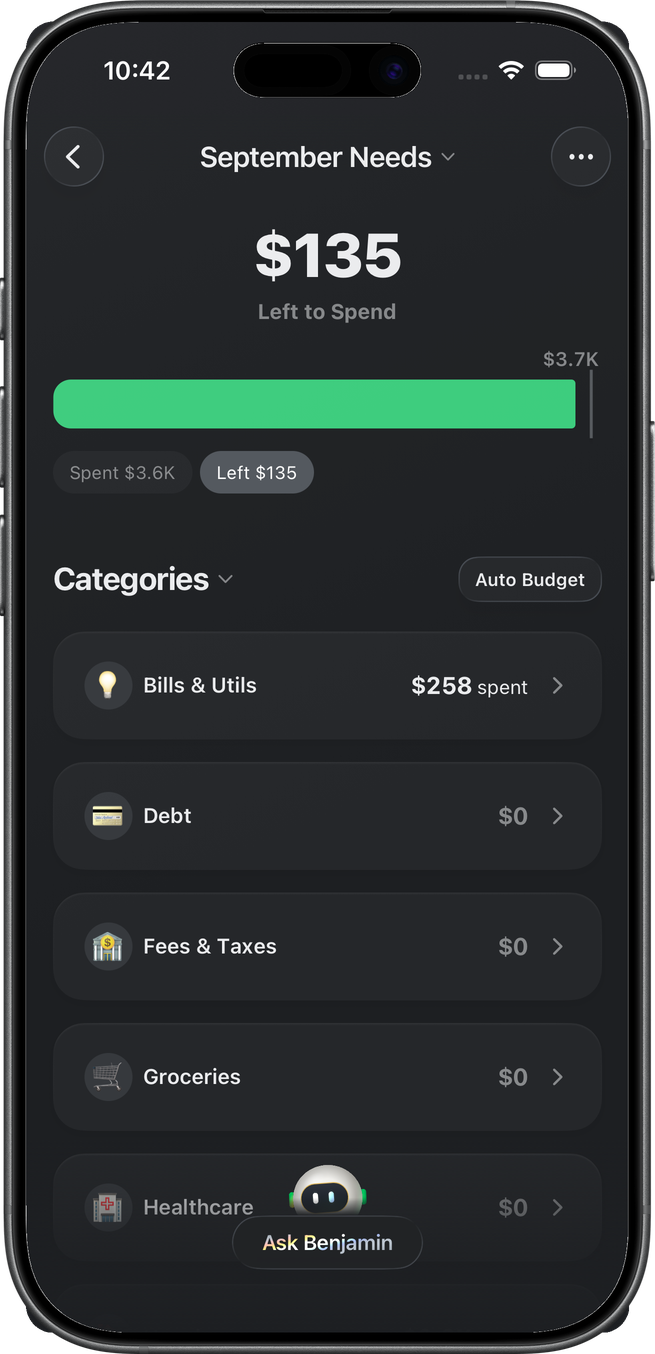
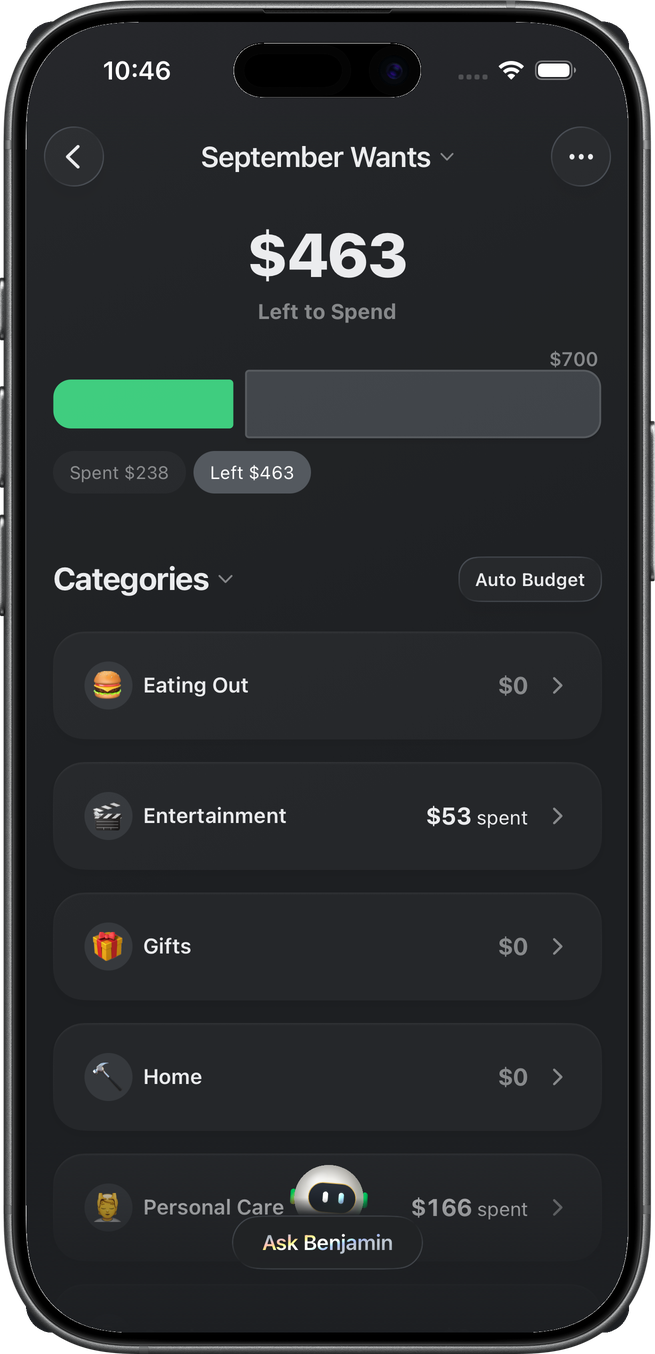
Stay under budget on either side and your Savings grows. Overspend and you see exactly what it cost you — no guilt, just clarity.
Build Your Plan: your money, in order
Savings without direction is just a number. The new Plan tab turns it into a roadmap.
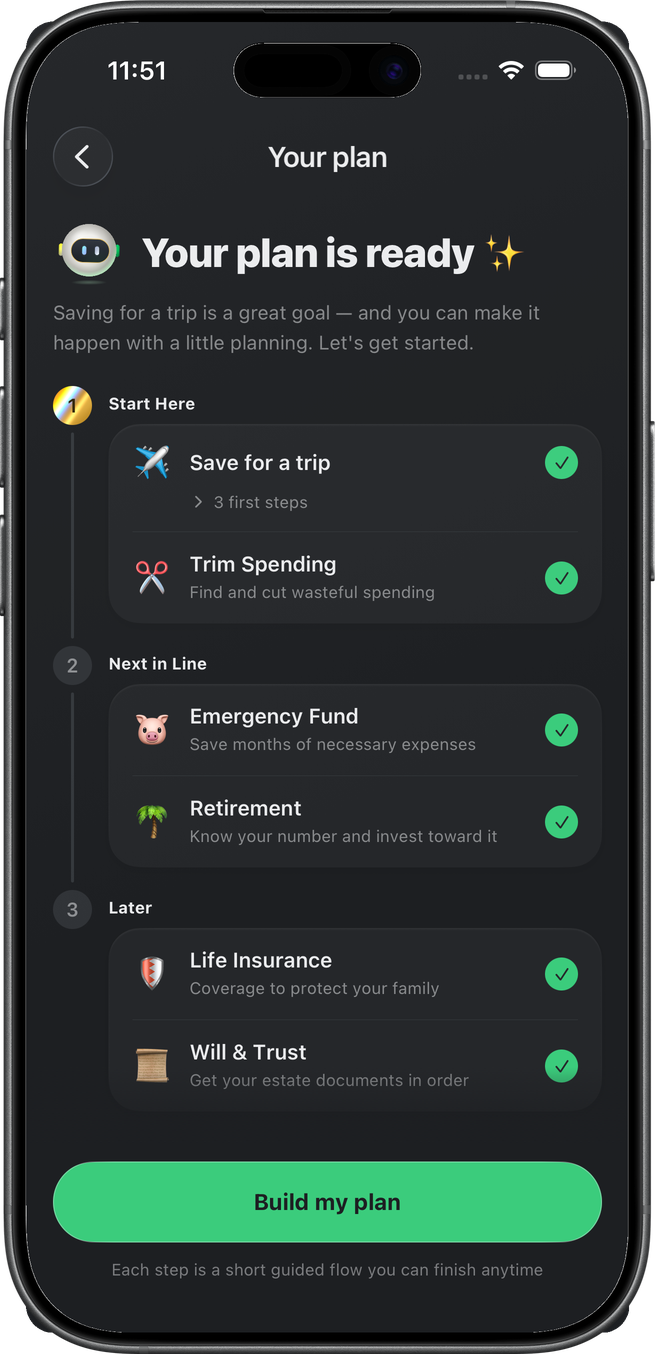
Answer a short set of questions with Benjamin — what you're saving for, whether you carry debt, how covered you are — and Wellthplan lays out your goals in the order that makes sense: Start Here, Next in Line, and Later. Emergency fund, debt payoff, retirement, life insurance, estate documents — each one becomes a short guided flow you can finish anytime.
Benjamin: ask anything about your money
Benjamin is your money coach, built into the app. Type or talk — ask where your money went, what's safe to spend, how a budget is tracking — and get answers grounded in your actual accounts and transactions, not generic advice.
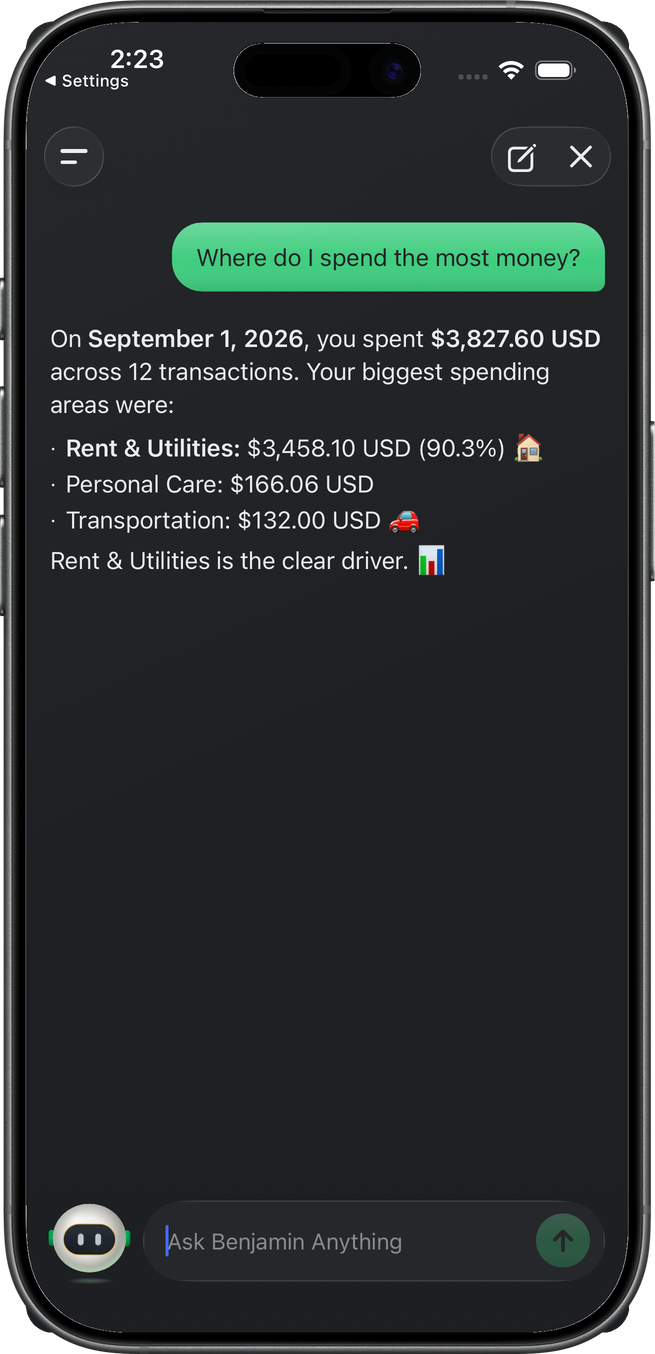
Benjamin is also the one who walks you through building your plan and hosts your monthly rundown — so the coaching doesn't stop at chat.
A fuller financial picture
Safe to Spend covers today. The Accounts tab now covers everything else — your real net worth, not just your bank balances.
Alongside checking, savings, credit cards, and investments, you can now add:
- Home & Mortgage — your property and what's left on the loan.
- Vehicle & Auto Loan — the car and the payment together.
- Buy Now, Pay Later — Klarna, Afterpay, Affirm, and more.
- Student & Personal Loans and Other Assets — everything else you own and owe.
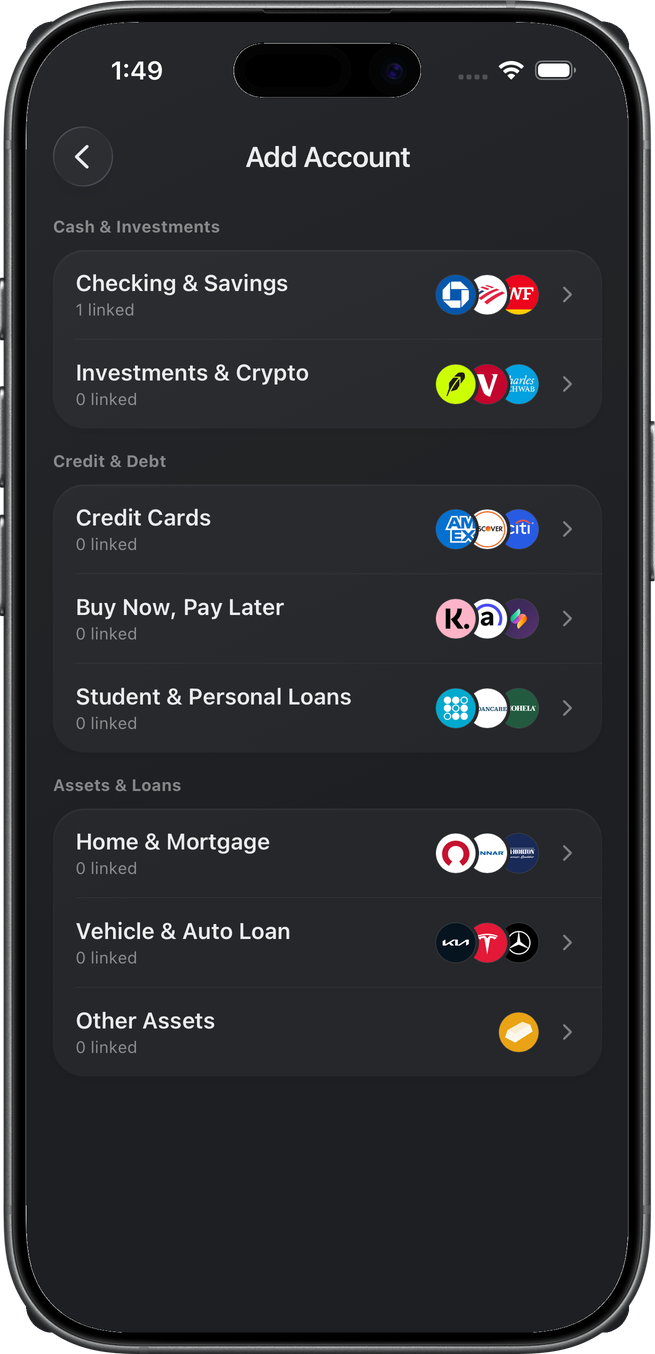
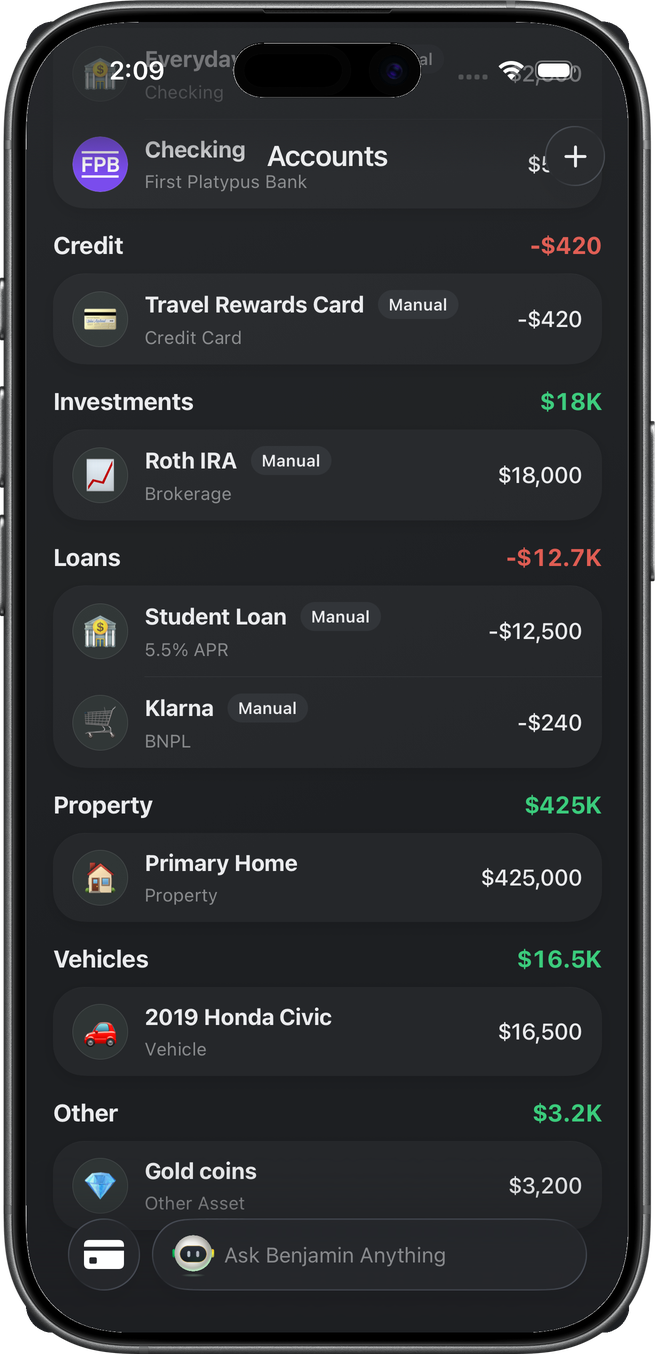
One thing we kept deliberately separate: adding a house or an IRA grows your net worth, but it never inflates Safe to Spend. Today's number stays honest.
Get Wellthplan 2.0
Wellthplan 2.0 is available now. Link your accounts, see your Safe to Spend, and build a plan you'll actually follow.
Download Wellthplan and spend today while planning for tomorrow.